Collect Feedback Without Killing Conversions
Most teams know they need to collect feedback, then they bolt on a survey that tanks their conversion rate. The good news is you do not have to choose between insights and signups.

Most teams know they need to collect feedback, then they bolt on a survey that tanks their conversion rate. The good news is you do not have to choose between insights and signups. With the right placement, timing, and question design, you can collect high quality feedback while protecting revenue and user experience.
Why feedback often hurts conversions
Interruptions at high intent moments create friction. Modal dialogs hijack attention, mobile interstitials block content, and long forms ask too much too soon. Research consistently notes the cost of interruptions, especially in modal patterns that pause the user’s task flow. See guidance from Nielsen Norman Group on modal and nonmodal dialogs. Google also warns against mobile interstitials that block primary content because they harm accessibility and search experience, see Search Central’s intrusive interstitials guidance.
The fix is not to stop asking. It is to redesign how, when, and where you ask.
The conversion safe feedback stack
Think of feedback collection as a stack. Start with the least disruptive method, add more assertive asks only when they do not collide with your conversion paths.
- Passive capture, an always-on feedback tab or floating button that lets motivated users raise their hand without interrupting anyone else.
- Post-action microsurveys, short questions right after a goal is completed, for example, signup, purchase, onboarding checkpoint. The task is done, so you will not block it.
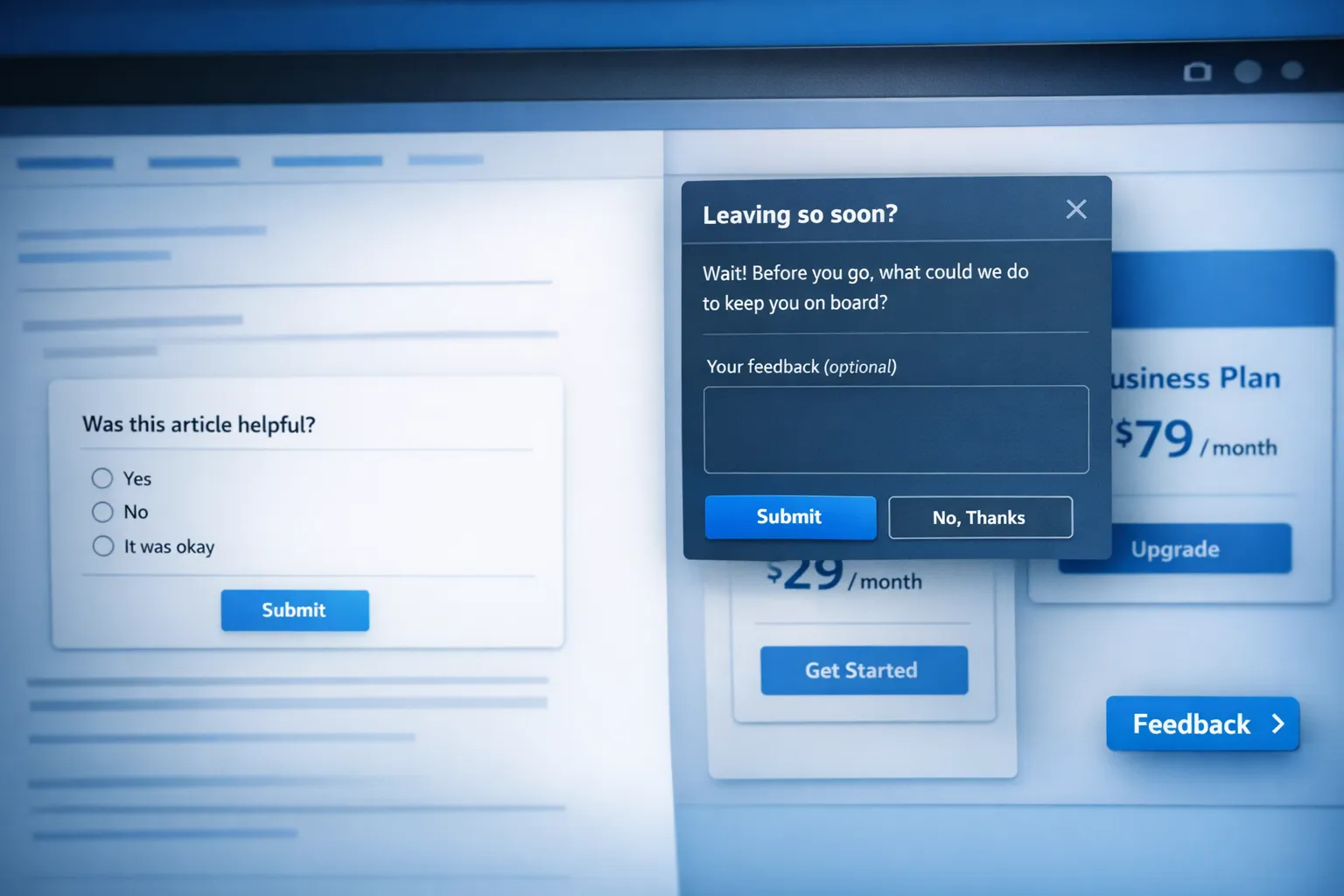
- Exit intent and back button intercepts, ask when a user is leaving a high intent page without converting. You collect objections without stopping active shoppers.
- Embedded in-flow polls, inline one click questions inside content or UI, useful in docs, feature tooltips, dashboards.
- Transactional follow ups, short emails or in-app nudges attached to receipts, trial day 3, or feature adoption milestones.
This stack lets you collect feedback throughout the journey without competing with the main CTA.
Trigger rules that protect revenue
Trigger logic is where most conversion loss happens. Use these guardrails.
- Intent gating, show only after meaningful engagement, for example, 20 seconds on page and 60 percent scroll, 2 or more page views, or after a specific action.
- Frequency caps, at most once per session and once per 7 to 14 days per user. Respect dismissals and do not relaunch on the same visit.
- Placement exclusions, never show interruptive overlays on checkout, payment, or the final step of a critical form. Use passive or exit intent only.
- Device specific patterns, prefer bottom sheets or inline blocks on mobile, avoid full screen takeovers except for exit intent.
- Traffic segmentation, exclude high cost campaigns and brand terms during landing sessions, ask returning users or organic visitors first.
- Sampling, if you have heavy traffic, sample 10 to 30 percent to limit exposure, you will still collect enough signal fast.
ModalCast gives you flexible triggers, time on page, scroll, exit intent, element based, plus audience and frequency rules so you can implement the above without extra code. For setup details, see How To Set Up Microsurveys in Your Website or App.
Question design that gets signal in 10 seconds
Long forms kill momentum. For in-product and on site prompts, aim for a 10 second completion time.
- Ask one primary question, optionally one follow up that is conditional.
- Use a fast input first, for example, yes or no, 1 to 5 scale, emoji scale.
- Make the comment optional, many will still add context.
- Avoid asking for contact info unless required for the workflow. If needed, ask after the primary answer.
- Be specific and contextual. “What stopped you from starting a trial today” outperforms generic “Any feedback”.
Here are proven prompts by location:
- Landing page, What is unclear or missing on this page that would help you decide.
- Pricing page, What is the main thing preventing you from choosing a plan today.
- Onboarding, Was this step easy to complete, yes or no, what made it hard.
- Feature usage, Did this feature solve your task today, yes or no, what is missing.
- Cancellation page, What is the primary reason you are canceling.
For scale based measures and best practices, check Enhancing Customer Satisfaction with CSAT Surveys.
Where to ask and what to avoid
Use this quick map to match feedback methods to funnel stages.
| Page or Moment | Primary goal | Safe feedback pattern | Risk to conversions | When to trigger |
|---|---|---|---|---|
| Home or campaign landing | Click primary CTA | Passive tab, embedded poll | Low | After 20 seconds dwell or 60 percent scroll |
| Pricing | Select a plan | Exit intent, small bottom sheet, passive tab | Medium | On exit or after 30 seconds with no interaction |
| Signup form steps | Complete form | None or passive tab only | High | Post completion only |
| Post signup success | Start onboarding | 1 to 2 question microsurvey | Low | Immediately after success state |
| In app feature use | Achieve task | Inline micro poll | Low | After task complete or action count reached |
| Checkout or payment | Purchase | None except exit intent | Very high | Exit only |
| Docs and help center | Solve problem | Inline polls, passive tab | Low | Always on |
Measure impact with guardrail metrics
Treat feedback prompts like any other change to your funnel. Measure and ship with guardrails.
- Establish a baseline, capture conversion rate, bounce rate, and time to first key action for 1 to 2 weeks.
- Use a holdout, run a 10 to 20 percent no prompt control group to detect lift or drag.
- Set guardrails, for example, do not roll out if conversion drops by more than 2 percent relative to control.
- Monitor per device and traffic source, an overlay that works on desktop may hurt on mobile or paid traffic.
- Track value of insights, resolution rate of issues discovered, number of roadmap items validated, reduction in support tickets.
ModalCast’s analytics help you track impressions, responses, and engagement. For a deeper dive into designing and evaluating surveys, read Maximizing Feedback Collection and How to Create a Customer Feedback Form Using ModalCast.
Playbooks you can deploy this week
Below are simple, low risk patterns used by SaaS teams to collect feedback without hurting conversions.
- Pricing page objection catcher, exit intent prompt asking What is missing or unclear about our pricing. Routes to a lightweight form with optional email for follow up. Exclude current customers and cap to once per session.
- Onboarding friction finder, after the first run checklist, ask Was anything confusing in setup, yes or no, optional text. Trigger only when the checklist is marked done.
- Feature validation, when a user completes a new feature’s primary action twice, ask Did this feature solve your job today, yes or no, optional text. Sample to 25 percent of eligible users.
- Documentation quality poll, inline Was this article helpful, yes or no, what was missing. Always on, no modal used.
- Churn reason capture, on cancel page use a single select reason list with Other and optional text. Show a passive link to chat for save attempts rather than an aggressive modal.
Each playbook is non blocking and targeted to intent, which is why they convert and still gather useful signal.
Implementation with ModalCast
You can implement the above patterns in minutes with ModalCast.
- Add a passive feedback tab using a floating action button so motivated users can send comments any time.
- Create microsurveys with 1 to 2 questions and configure triggers like time on page, scroll depth, exit intent, or after specific UI actions.
- Use frequency caps and audience rules to protect conversion pages, for example, exclude checkout and show only to returning visitors.
- Embed polls inline in docs or feature areas when you want zero interruption.
If you want a broader overview of widget types and placements, see What is a Feedback Widget and Why You Need One.
Compliance and accessibility tips
- Follow Google’s guidance on mobile intrusive interstitials to avoid both UX and SEO penalties. Keep prompts minimal on first page views, especially from search.
- Ensure easy dismissal, visible close affordance, escape to close, and focus management for keyboard users.
- Localize succinctly, long translated strings can turn compact prompts into space hogs.
- Respect privacy, state why you are asking and how feedback will be used.
Frequently Asked Questions
How many questions should I ask in an on site prompt. One primary question with an optional follow up is usually best. Keep it under 10 seconds to complete.
Is exit intent enough to learn why people do not convert. It is a strong start, but combine it with post signup or in app microsurveys to capture friction earlier in the journey.
What if I need an email to follow up. Ask for the email only after the user answers the main question. Make it optional so you do not suppress responses.
How do I know if a survey is hurting conversions. Use a holdout group and guardrail metrics. If conversion in the test segment drops beyond your threshold, adjust triggers or placement.
Where should I start if I have never run feedback before. Start with a passive tab and a single exit intent prompt on pricing. Expand to post action microsurveys once you establish a baseline.
Ready to collect feedback without killing conversions
ModalCast helps SaaS teams collect feedback, share updates, and convert more visitors with a single lightweight widget. Start with a passive tab, add targeted microsurveys and exit intent prompts, and measure with guardrails. When you are ready, try ModalCast free and put these playbooks live on your site.
Explore related guides to go deeper: